Large PDFs can be difficult to email, upload, share, or store, especially when they contain high-resolution images, scanned pages, or complex graphics. Compressing your PDF is an easy way to reduce its size while keeping it clean, readable, and professional.
➡️ Whether you’re preparing a document for online submission, sending it to a client, or freeing up storage, this guide walks you through the process step by step.
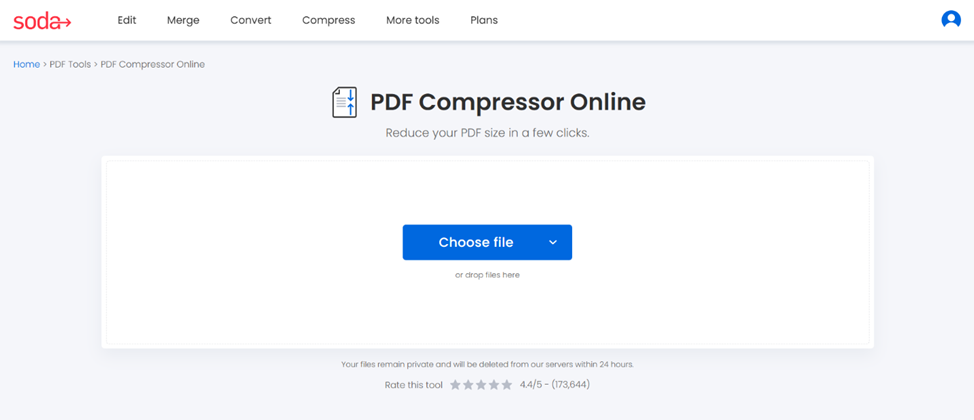
Step 1: Choose your file and upload it to compress
Start by preparing your file for compression.
1. Open Soda PDF online compressor
2. Upload your document
Drag and drop your file, or upload it into the box from your device, Google Drive, or Dropbox. You can compress:
- Scanned PDF’s
- Image-heavy documents
- Reports, brochures, booklets
- Multi-page files
💡 As a marketing professional, emailing a 12-page brochure with large images to your client might be fairly hard, but compressing your document is a good solution.
Step 2: Select the level of compression
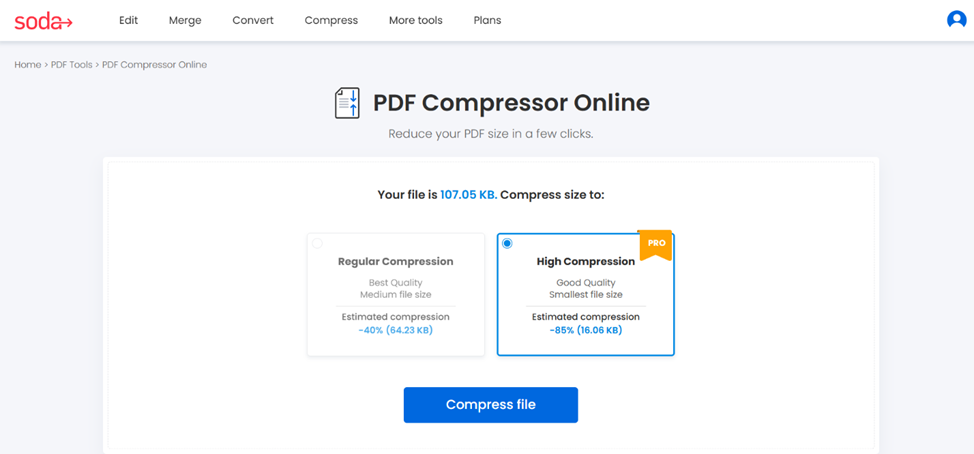
Choose the level that fits how you plan to use your final document and click on Compress file. Our PDF compressor offers two compression levels.
- 📈 Regular compression
Reduce your file size to an estimated 40% to preserve its quality. - 🚀 High compression
Gain maximum space, up to an estimated 85%, to send an email.
Our compressor tool shows how much space you saved. The goal is to find the perfect combination between size and quality.
💡 As an integrator, selecting high compression to compress an image under 2 Mb can help you when a website requires a smaller image.
Step 3: Download your compressed file
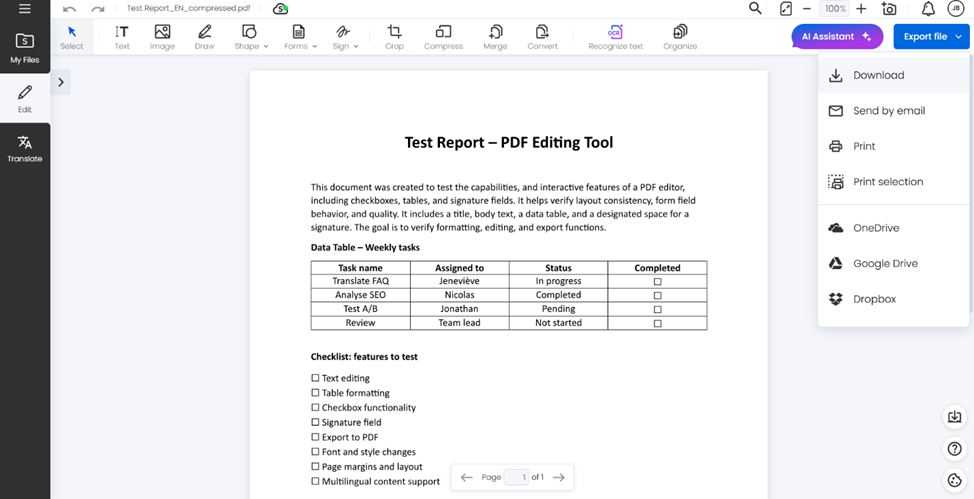
Once the compression is done:
- Download your document with a descriptive file name
- Send it by email to your colleagues, or print it
- Save it in OneDrive, Google Drive, or Dropbox to have easy access anywhere
Always save your original version (uncompressed) in case you need it in the future.
💡 As a professional in your field, you will find out how simple compressing a file is with Soda PDF’s online compressor.
Ready to compress your PDF?
Whether you’re sending large brochures, uploading multi-page reports, emailing scanned contracts, or sharing image-heavy presentations, our PDF compressor reduces your file size without losing its quality.
✨Make your files lighter and easier to share, compress your files in seconds and try our PDF compressor.
🔍 Would you like to know about our other features? Explore our full range of tools.