PDF files are everywhere—contracts, reports, brochures, invoices, and academic papers. Yet most people don’t realize how quick and simple it is to edit them. Whether you’re adjusting a business contract, adding an image to a research paper, or customizing marketing materials, this guide will help you move from PDF viewer to confident PDF editor—one step at a time.
Here’s a practical guide to help you edit your PDF files effortlessly.
Step 1: Open your PDF editor and upload your document
Getting started only takes a few seconds:
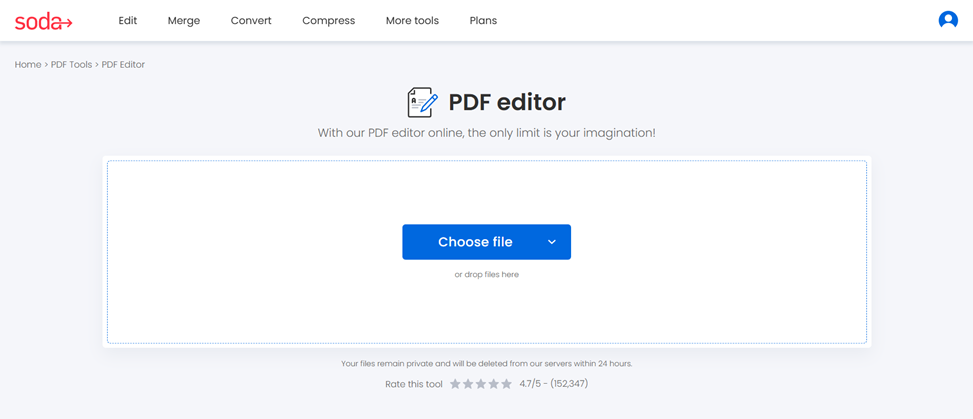
- Open Soda PDF editor
- Upload your document. Drag and drop your file, or upload it into the box from your device, Google Drive, or Dropbox. Your document loads instantly and appears in the editable workspace.
👩💼📄 As an RH professional, updating a contract clause, adding a missing title, or inserting a new address into a PDF file is your daily bread.
Step 2: Edit your document
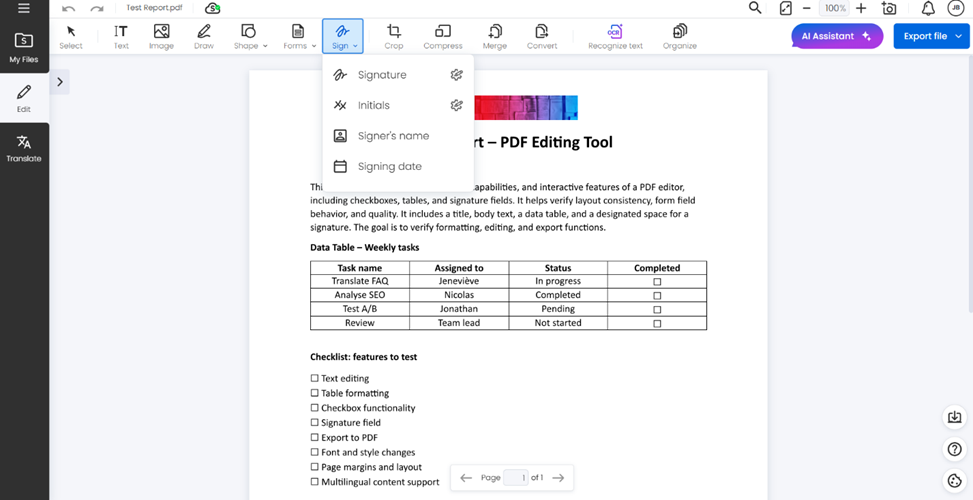
Enhance your document with clean visuals, structure, text, form, and signature:
1. Images and logo
Click on Image and upload your file, then position your logo or image on the page.
2. Shapes or drawing
Click on Shape to add rectangles, circles, arrows, or lines—ideal for:
- illustrating steps
- highlighting important sections
- adding visual separators
💡Pro tip : If you have a little talent, you can also draw on the page. How about a smiley face for your colleagues!
3. Add text or modify existing content
To add a paragraph, click on Text and write. To adjust the existing content, click on any text on the page and modify as you want. You can also change:
- color
- font
- size
- alignment
4. Forms and signature
Click on Forms to create a personalized form with checkboxes. To sign a document, you can draw, type or upload your signature, then add it to your file.
🧑💼📄 As an assistant, whether you are working on a flyer layout or a report, it will be easy to add a signature, modify a document, or enhance it with visuals.
Step 3: Save and share your masterpiece
Once you’re done editing:
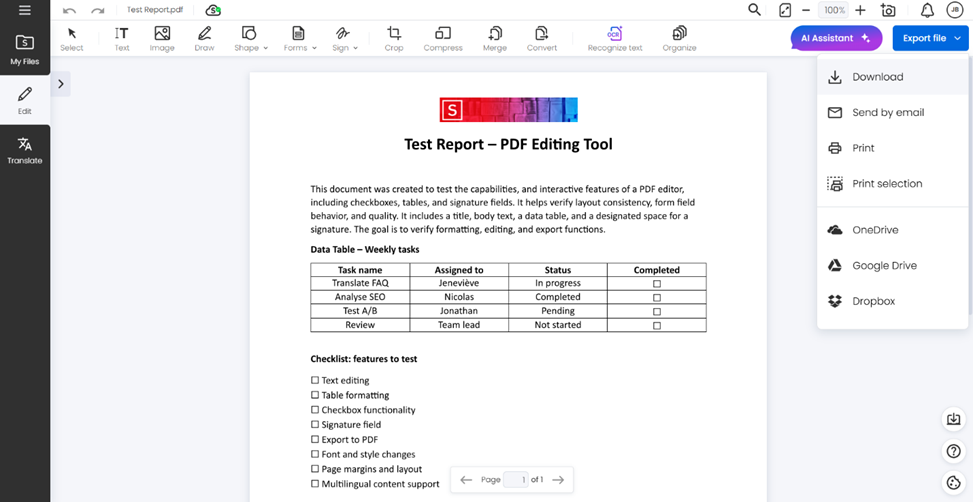
- Download your document with a descriptive file name
- Send it by email to your colleagues
- Print it, and maybe frame it if it’s truly a masterpiece
- Save it in OneDrive, Google Drive, or Dropbox to have easy access anywhere
📝🔍 As a professional in your field, you might have to review a proposal, correct a draft, or mark key sentences in a study document. All these tasks are easy with Soda PDFs editor.
Ready to edit your PDF?
Whether you’re refining a contract, reviewing academic research, preparing client documentation, or polishing marketing materials, our PDF editor helps you work faster and smarter.
Edit your files in seconds and try our PDF editor.
Would you like to know about our other features? Explore our full range of tools.