PDFs are often shared across countries, teams, and clients—but language barriers can make them difficult to use. Whether you’re localizing a brochure, translating instructions for a client, or reading research in another language, knowing how to translate a PDF quickly and accurately is incredibly useful.
This guide walks you through the essential steps to translate your PDF with clarity and professionalism.
Step 1: Choose and upload your PDF
Start by preparing your document for translation.
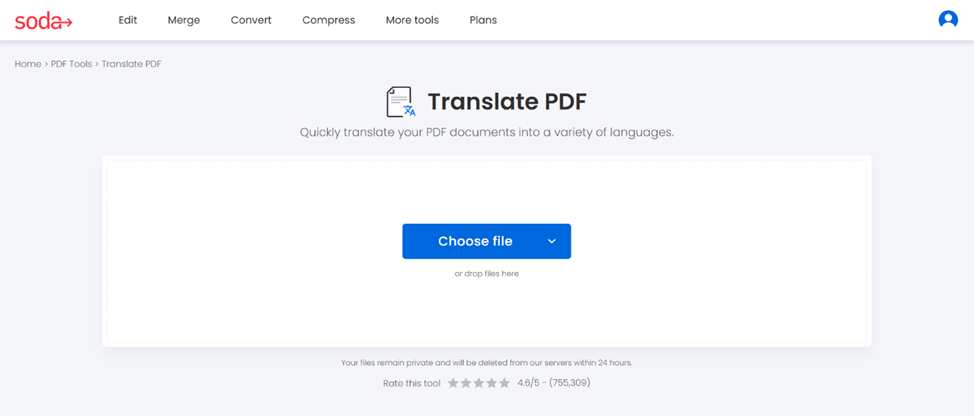
- Open Soda PDF’s translate tool
- Upload your document
Drag and drop your file, or upload it into the box from your device, Google Drive, or Dropbox.
💡As a product manager, you might have to get a product manual translated into Spanish or French for international customers.
Step 2: Select the target language
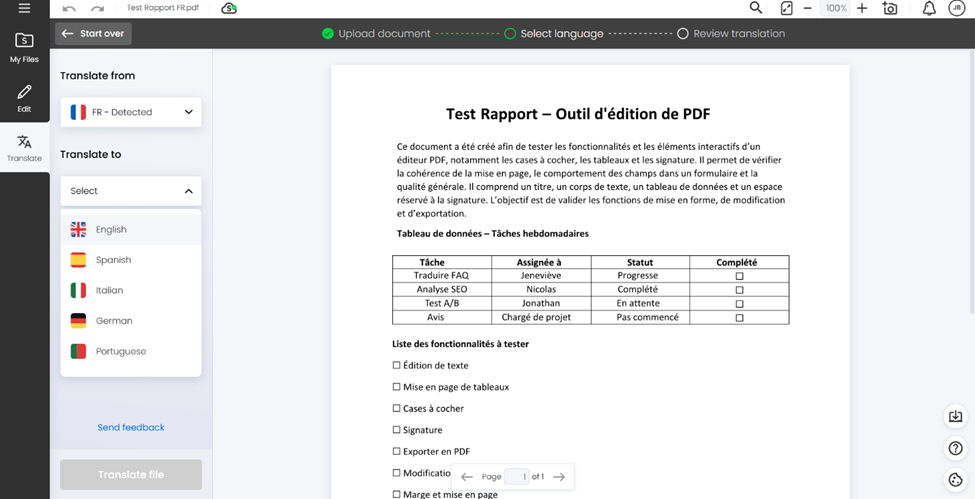
Your text-based PDF is uploaded, and our tool automatically detected the source language. The next step is to select the target language. You can choose between:
- English
- Spanish
- Italian
- German
- Portuguese
Pick the language your audience needs.
💡As a student, translating your resumé into English is a great way to find the perfect job in your competence field.
Step 3: Translate your file and adjust formatting
Once you selected the target language:
- Translate and wait a few seconds
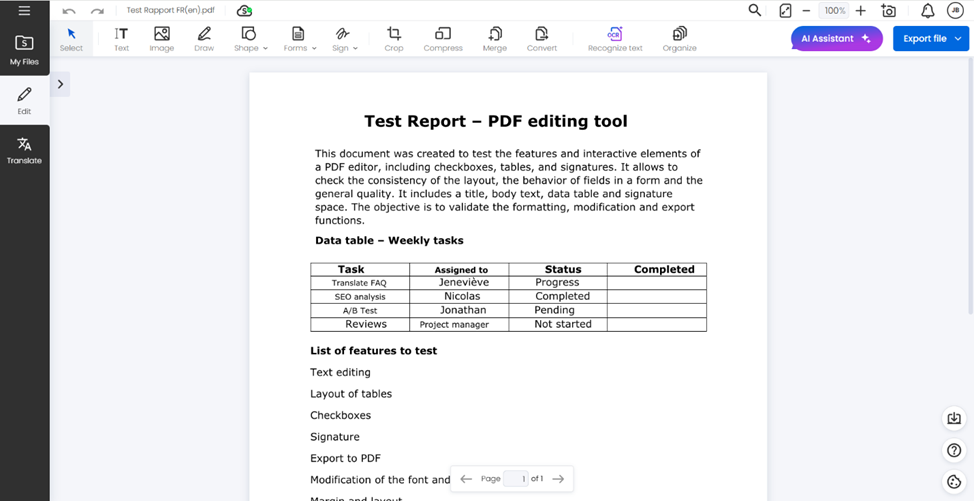
Click on Translate file and let the tool convert your document. - Translation can slightly shift text or spacing. You may want to:
- reposition text boxes
- correct line breaks
- adjust fonts
- realign titles
Click on Edit to make changes and ensure your final document to look professional.
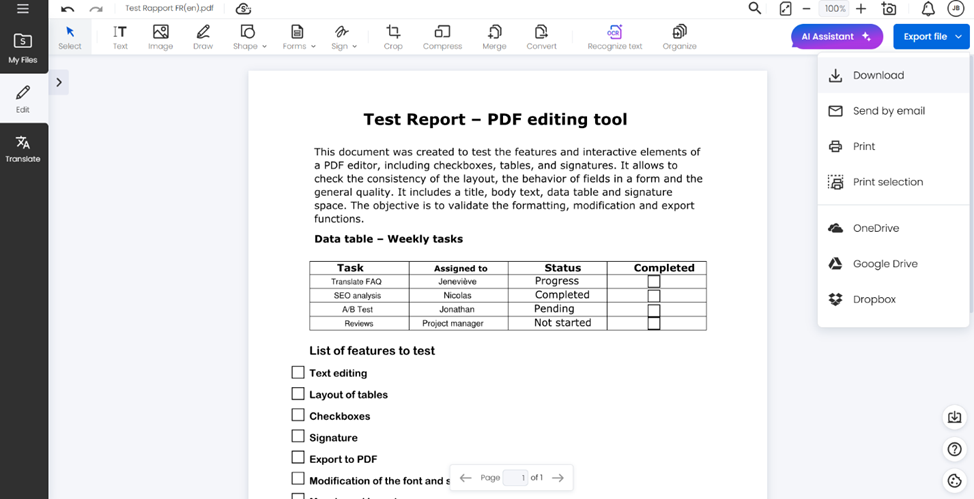
Step 4: Download your translated document
Once you finalize your document:
- Download it
- Send it by email, or print it
- Save it in OneDrive, Google Drive, or Dropbox
Ensure your new document has a descriptive file name and specifies the target language, like User-guide_EN.pdf, to improve file management. Always keep the source file for future updates.
Ready to translate your PDF?
Whether you’re translating a brochure, localizing a product sheet, or converting a resumé, you will find our PDF translating tool very easy and simple to use daily to help you bridge language barriers.
✨Translate PDF files into a variety of languages with our PDF translator.
🔍Would you like to know about our other features? Explore our full range of tools.