Split PDF online
With Soda PDF, you can split PDF files into separate documents quickly and easily.
Your files remain private and will be deleted from our servers within 24 hours.
-
From Google Drive
-
From Dropbox
or drop files here
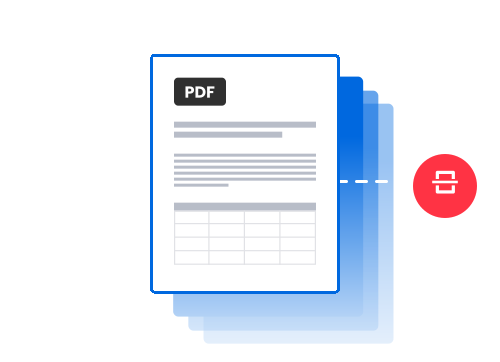
How to split a PDF online
-
1 Import your PDF file into the PDF splitter
To extract pages from PDFs, simply click on the Choose file button or drag and drop your document directly from your computer. You can also import your document into the PDF splitter from Google Drive or Dropbox.
-
2 Select pages to extract from the PDF
Select the pages you want to extract from a PDF and arrange them exactly how you want before splitting your file. You can also automatically split your document into separate individual pages.
-
3 Split the PDF and download your files
Click on Extract files to split a PDF and instantly download your new documents securely to your device. Alternatively, you can send a secure link to your files by email (valid for 24 hours).
Pro tip: Make the most of split PDF to improve productivity
Use our split PDF tool to optimize the workflow of your administrative teams by quickly splitting your largest files into key sections. In just a few clicks, you can isolate the essential parts of your contracts, appendices, or reports, and share only the essential pages. Need to send files fast and skip the download step? Use the secure link to send your files with ease.
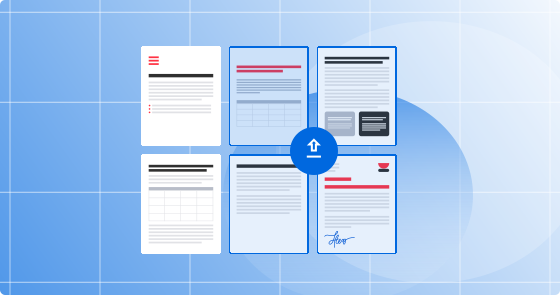
Benefits of our split PDF tool
Clear interface, no technical skills required
Split PDFs with advanced SSL encryption protecting your files
Split PDF pages while preserving the original formatting
Extract pages from PDFs online with no installation required
Use split PDF on desktop, tablet, or mobile devices
Files are automatically deleted after 24 hours
Soda PDF's awards
Soda PDF has gained valuable recognition as a member of the PDF Association and for earning multiple SourceForge badges, most recently including “Leader for Summer 2025” and the famous "Customers Love Us" badge. These achievements highlight our dedication to product quality and strong customer appreciation.

What customers say about us
FAQ - Frequently asked questions about how to split PDF pages
How can I extract pages from PDF files?
Our PDF splitter allows you to extract pages from PDF files easily by selecting only the pages you need (for example: 1,3,5-7). You can combine individual pages and ranges to create exactly the document you need.
Can I split a PDF online into multiple separate files?
Absolutely! Our PDF splitter lets you divide large documents into multiple smaller files quickly and securely. This feature is particularly useful for respecting size limitations when sending by email, or for creating easy-to-print documents.
Will the quality of my document be affected when I split PDFs?
No, our PDF splitter fully preserves the quality and formatting of your original file. Unlike other solutions, which can degrade images or modify page layouts, our split PDF tool maintains the integrity of every element (fonts, images, links, interactive forms, etc.).
Can I split PDF pages that are password-protected?
To split a PDF that is protected, you must first unlock it with the appropriate password. For example, you can use our PDF unlocking tool before splitting the file. For security reasons, we cannot process protected documents without valid authorization.
Is your split PDF tool free to use?
Yes, our basic PDF splitter is free and allows you to split up to 2 PDF files per day, with a limit of 3 MB per file. For more intensive professional use or larger files, our premium packages unlock higher limits and advanced features.
Are my documents secure when I split PDFs online?
The security of your data is our top priority. When you split PDFs online with Soda PDF, your files are processed via a secure connection with 256-bit SSL encryption to ensure your data remains private and secure. Documents are also automatically deleted from our servers after 24 hours.
What features does Soda PDF offer beyond the PDF splitter for organizing and managing my documents?
In addition to our PDF splitter, Soda PDF provides you with a complete range of tools for efficiently organizing your PDF files, whether you want to reduce their size, reorganize or convert them:
- Merge PDFs: assemble multiple PDF files into a single, coherent document. This feature is ideal for grouping together contracts, invoices or any other type of content.
- Compress a PDF: reduce the size of your files without compromising visual quality or layout, for easy sharing by email or online storage.
- Convert a PDF: convert your files to or from PDF format (Word, Excel, PowerPoint, JPG, PNG, SVG, etc.). Our conversions faithfully preserve the original layout.
What other PDF tools are available besides Split PDF?
Soda PDF is a true alternative to Adobe Acrobat®: no installation, no subscription required — unless you want unlimited access with no size or daily limitations. We offer a full suite of free* online tools with daily limitations to manage your documents.
Our online tools work with all file formats and allow you to manage your documents in many ways, like:
• Convert Word, Excel, PowerPoint, PNG, SVG, or JPG to PDF—and vice versa
• Compress large documents, even hundreds of pages
• Merge or split PDF pages
• Edit your files with our built-in editor or fill in a form
• Protect and sign PDFs (desktop features only)
• Unlock PDFs
• Use our cutting-edge optical character recognition (OCR) technology to extract text from scanned pages or photos saved in image format (PNG, JPEG, etc.).
All of this is entirely online, no app installation needed. Explore our full range of tools in the top menu or down in the footer (yes, that's what it’s called).
Can I use a PDF splitter without internet access?
Yes, our PDF software is available as a desktop version for Windows, and it allows you to use a PDF splitter offline, so you can split PDF pages and extract pages from PDF files without needing an internet connection. Check out our options and download it for free.
