OCR PDF online
Modify scanned documents or image-based text using OCR
Your files remain private and will be deleted from our servers within 24 hours.
-
From Google Drive
-
From Dropbox
or drop files here
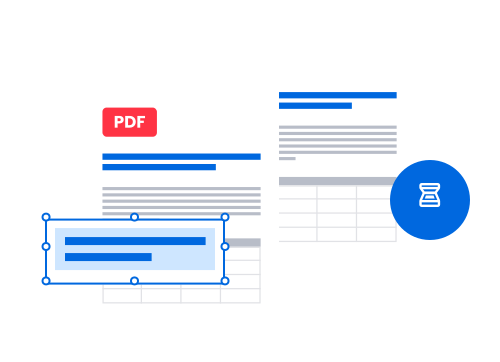
How to use OCR for PDF?
Follow these steps to turn your scanned documents into editable files.
-
1 Import your file
Drag and drop your image file (JPG, PNG, BMP, TIFF) or scanned document, or upload it into the box from your device, Google Drive, or Dropbox.
-
2 Let OCR work
Click on Recognize to let the optical character recognition detect text and convert it into editable content without changing the original layout.
-
3 Modify your document
Your document is now recognized and editable, make changes. Then, simply download it to your device, OneDrive, Google Drive, or Dropbox, print it or send it by email.
Pro tip: integrate OCR into your work process
Save time by integrating our OCR tool into your process. Its capacity to process complex documents, like invoices or contracts, allows you to extract data in seconds. Adding our tool to your process and combining it with your client management or CRM reduces human errors and improves team productivity. Optical character recognition (OCR) will become an ally to your administrative, legal, financial, HR, or logistics departments.
Benefits of our OCR PDF service
Choosing Soda PDF’s optical character recognition is a no-brainer!
No manual input—embrace automation
Multilingual OCR for global workflows
Offline OCR access with desktop version
Maximum security with encrypted data
Effortless PDF creation and editing
Batch processing with OCR desktop version
Soda PDF's awards
Soda PDF has gained valuable recognition as a member of the PDF Association and for earning multiple SourceForge badges, most recently including “Leader for Summer 2025” and the famous "Customers Love Us" badge. These achievements highlight our dedication to product quality and strong customer appreciation.

What customers say about us
FAQ about our OCR PDF service
Want to know more about OCR for PDF?
What is OCR?
Optical character recognition, or OCR, is a technology that automatically extracts text from images or scanned documents. It transforms visual files—such as photos with text, scans, or image-based PDFs—into searchable and, most importantly, editable documents. This eliminates the need for manual data entry; even complex documents become editable. Thanks to advanced text recognition, a significant timesaver!
Can OCR extract specific parts of a document, even with tables or a complex layout?
Yes, our OCR technology can detect and extract specific sections of a document, even when it contains complex elements like tables. You can easily isolate contract clauses, quote excerpts, or accounting data. This precision makes OCR especially useful for professional documents, medical reports, construction plans, financial statements, and more.
Can OCR recognize different languages in the same document?
Absolutely. Our OCR service can automatically detect different languages in the same document, allowing accurate and usable text extraction regardless of linguistic complexity. This feature is particularly valuable for international businesses, public institutions, or law firms that regularly handle multilingual documents.
What types of documents are best suited for OCR?
OCR is effective on printed or scanned documents containing structured text, including:
• Invoices and receipts -> to automate accounting
• Contracts and legal documents -> to search or extract specific clauses
• Patient records and medical reports -> to digitize medical archives
• Architectural plans or technical documents -> to index and extract textual annotations
• Administrative files -> to streamline documentation management in public services
• HR records -> to centralize CVs, certificates, or pay slips
• Historical archives -> to restore and analyze old content that’s otherwise hard to access
Of course, OCR performance depends on the quality of the scan and text legibility, but it can save time and boost productivity.
How do I choose the right OCR tool for my needs?
Choosing the right OCR tool depends on how you plan to use it:
• For professional use in a business setting, opt for a tool with batch processing, which can handle large volumes of documents quickly. Our OCR desktop version is perfect for this.
• If you regularly process a variety of documents, like invoices, contracts, or reports with tables and multiple columns, choose a solution that handles complex layouts with high precision. Our online or desktop OCR tool is designed to help you with these tasks.
• If you’re often on the move or working in the field, an online OCR tool compatible with mobile devices will be more suitable.
Above all, make sure the tool you choose (online or desktop) integrates well into your workflow, supports your existing software, and handles multiple languages. Especially if you work with multilingual documentation.
What file formats are supported by OCR tool?
Our high-performance OCR tool supports a wide range of formats, including standard image files (JPG, PNG, BMP, TIFF), and scanned PDFs (image-based or hybrid). It can also process screenshots or photos taken with a smartphone. Once processed, the files can be exported as editable formats such as DOCX, TXT, XLSX, or PDF text.
How do I know if a document is scanned?
Try selecting the text or using the search function (Ctrl+F). If nothing happens, it’s probably an image-based document. With Soda PDF, you will then be able to make it interactive and editable.
My team works at the office or remotely from home. Does OCR work everywhere?
Yes. Whether your teams work at a hospital, on a construction site, in an agency or from home, our OCR solution is accessible online or with the desktop version available on Windows laptops. It also integrates with major cloud services like Dropbox or Google Drive.
Is OCR reliable enough for digital archiving, or should converted documents be manually checked?
Our OCR technology offers a high level of accuracy, especially with well-scanned documents, enabling reliable digital archiving where even small text becomes editable, searchable, and indexable.
However, we always recommend a quick review, especially for sensitive documents, like legal, medical, or financial records. We are human after all! Even with this step, the time saved compared to manual entry is substantial. Once converted, your files can be securely organized, searched, and stored long term, which is a major advantage for businesses subject to regulatory requirements.
Can I process multiple files at once?
The batch processing feature is available in our desktop version only. It allows you to convert multi-page files in a single click. Ideal for tasks like accounting period closures, quality audits, or archiving construction project files.
What are the other tools Soda PDF offers?
Soda PDF is a true alternative to Adobe Acrobat®: no installation, no subscription required — unless you want unlimited access with no size or daily limitations. We offer a full suite of free* tools with daily limitations to manage your documents.
Our online tools work with all file formats and allow you to manage your documents in many ways, like:
• Convert Word, Excel, PowerPoint, PNG, SVG, or JPG to PDF—and vice versa
• Compress large documents, even hundreds of pages
• Merge or split PDF pages
• Edit your files with our built-in editor or fill in a form
• Protect and sign PDFs (desktop features only)
• Unlock PDFs
All of this is entirely online, no app installation needed. Explore our full range of tools in the top menu or down in the footer (yes, that’s what it’s called).
You don’t have web access and want to work offline?
Our PDF software is available as a desktop version for Windows. Check out our options and download it for free.
